
준비:드라이버, RKtools, 안드로이드 이미지 파일, 승리 PC
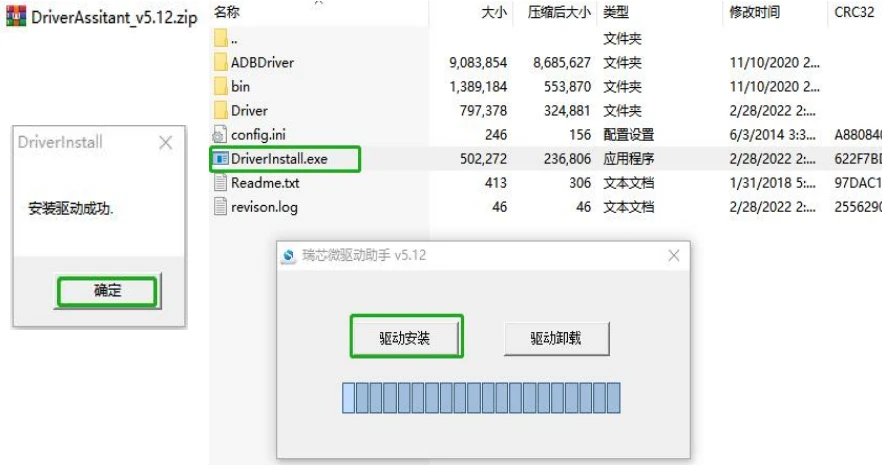
1. Windows에 드라이버를 설치하세요.
Open below driver zip file and click Driver Install.exe—>누르다”드라이버 설치”—>누르다”확신하는”;
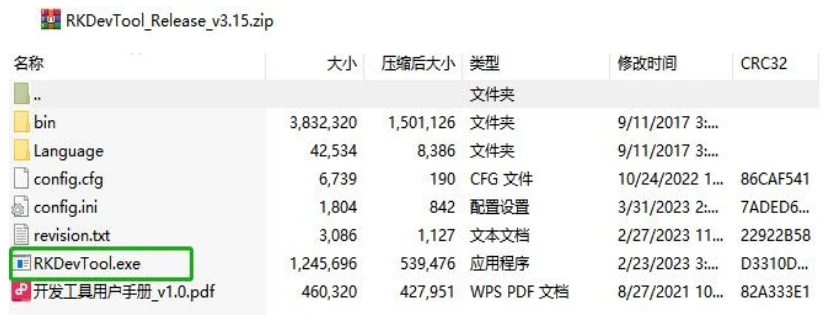
2. RKDevTool zip 파일을 열고 RKDevTool.exe를 엽니다.
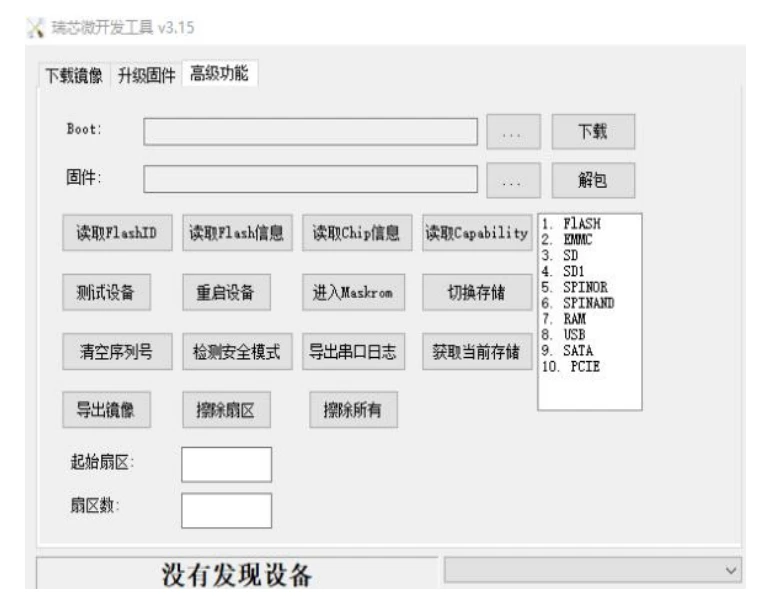
3. 듀얼 USB-A 케이블을 사용하여 장치를 Windows 컴퓨터에 연결하세요.; one port plugin Android device
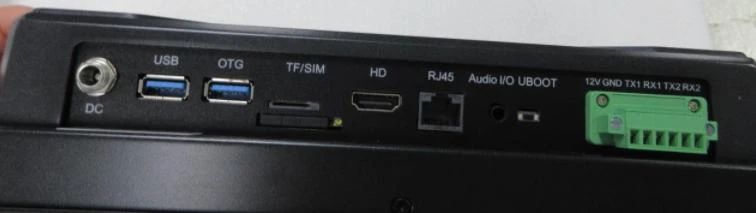
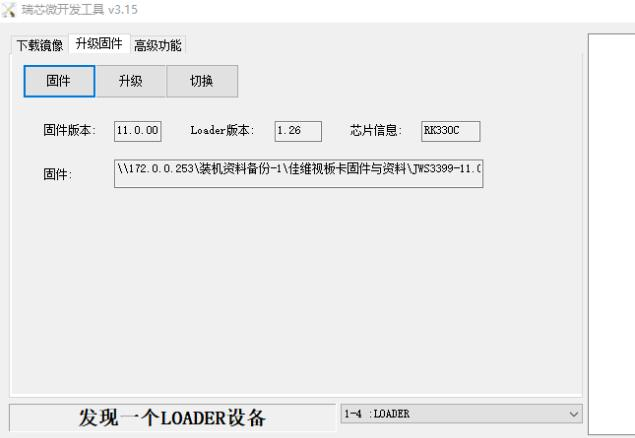
After the Android device is physically connected to your Windows computer. Press the UBOOT button on your Android device and plug in the power supply; do not release the UBOOT button until you see the following screen: “发现一个LOADER设备”.
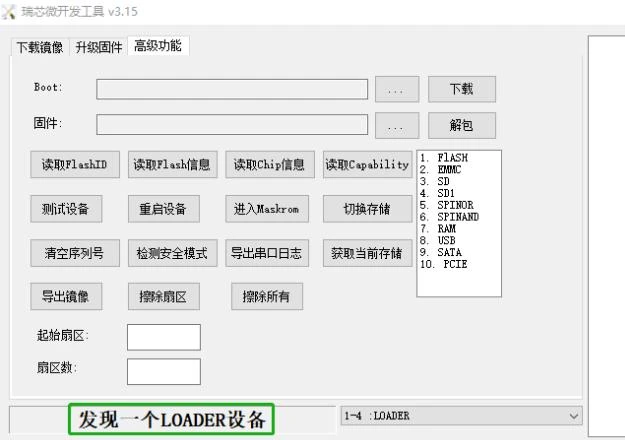
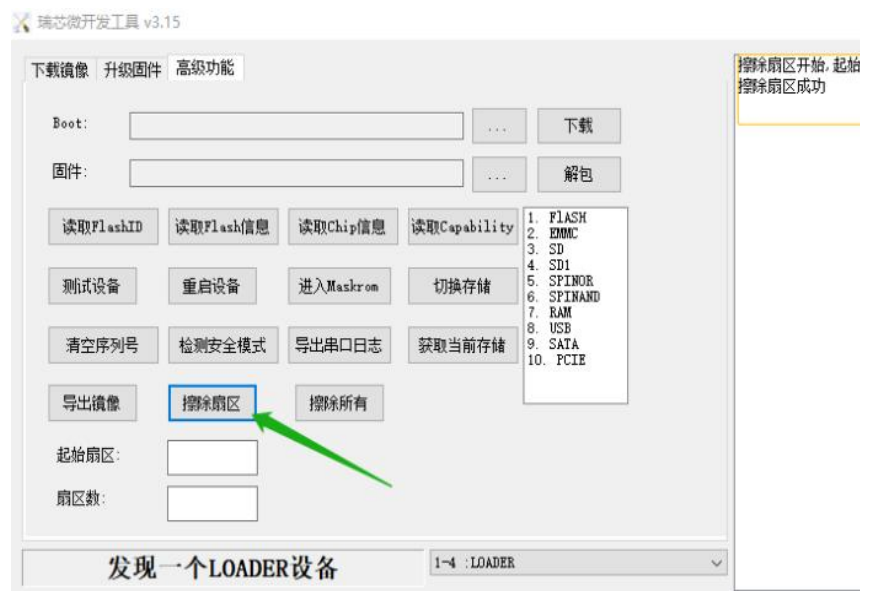
4. Click “高级功能” to enter the advanced setting panel—>Click “擦除扇区” to clean the data
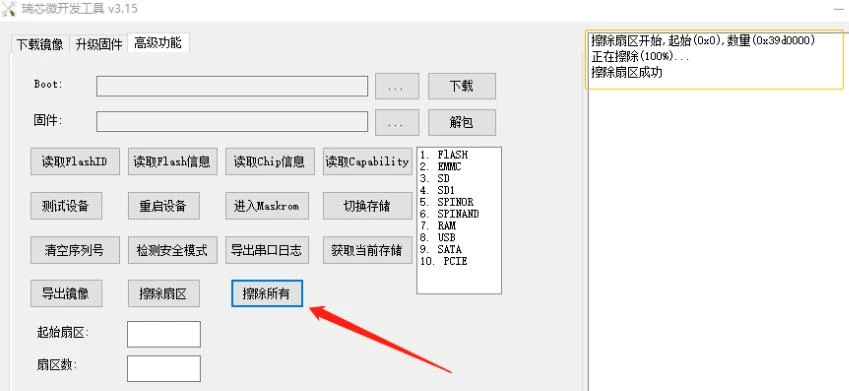
Click “擦除所有” to clean all data
5. Click “升级固件” to enter below panel
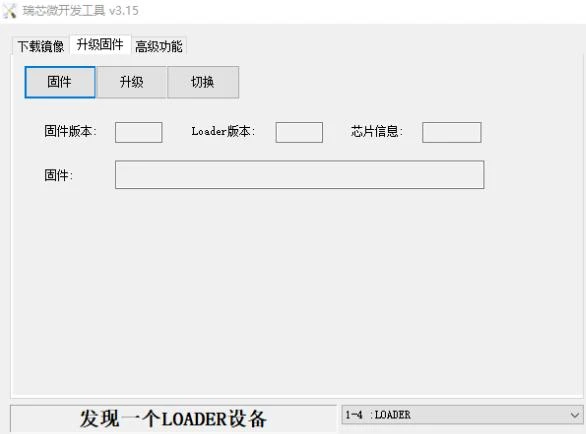
5.1 Click “固件” to load the img file we sent to you
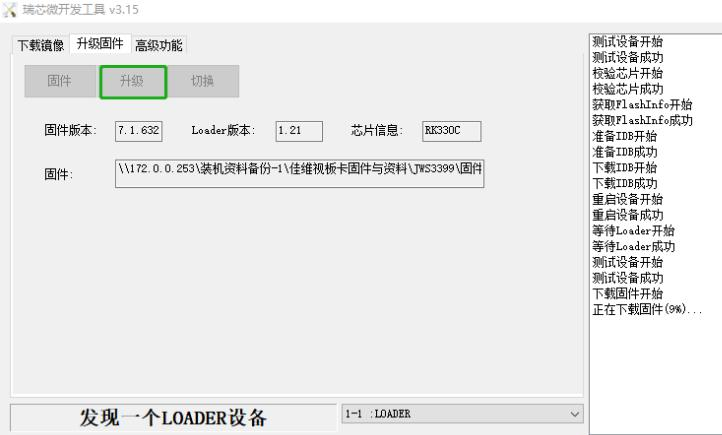
5.2 Click “升级” to start the process
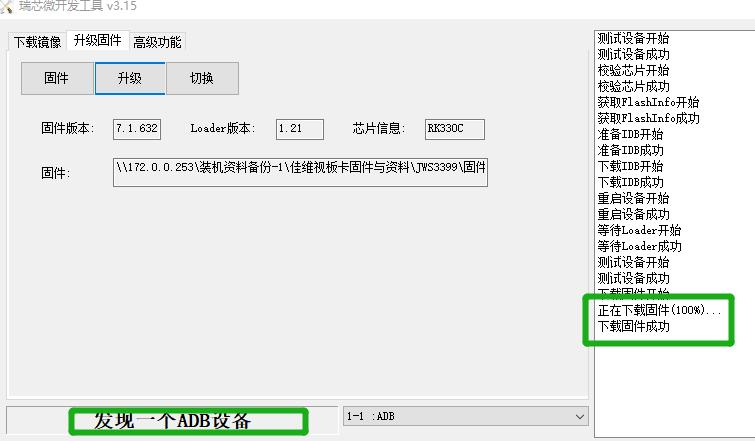
5.3 Wait about 5–10minutes until you see the screen below where I marked with green;
reinstallation, please keep calm; all you need to do is install the
screen parameter configuration file. We will send it to you together
with the directions. (Or you can connect to an HDMI screen to verify if
the OS installation was successful or not)