
Przygotowania:Kierowcy, RKtools, Plik obrazu Androida, Zwycięski komputer
1. Zainstaluj sterownik w systemie Windows
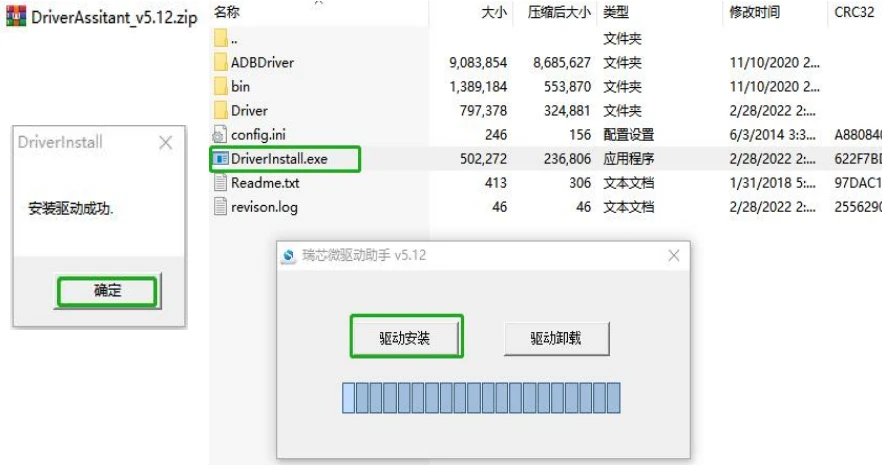
Otwórz poniższy plik zip sterownika i kliknij Driver Install.exe—>naciskać”Instalacja sterownika”—>naciskać”Jasne”;
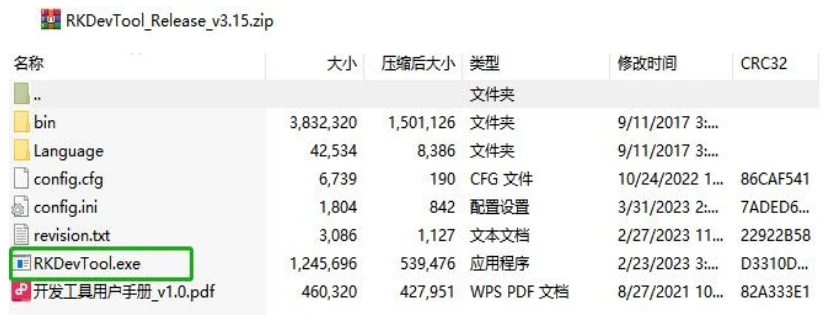
2. Otwórz plik zip RKDevTool i otwórz RKDevTool.exe
3. Użyj podwójnego kabla USB-A, aby podłączyć urządzenie do komputera z systemem Windows; urządzenie z systemem Android z wtyczką z jednym portem
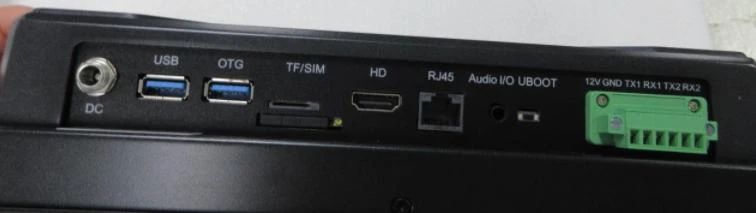
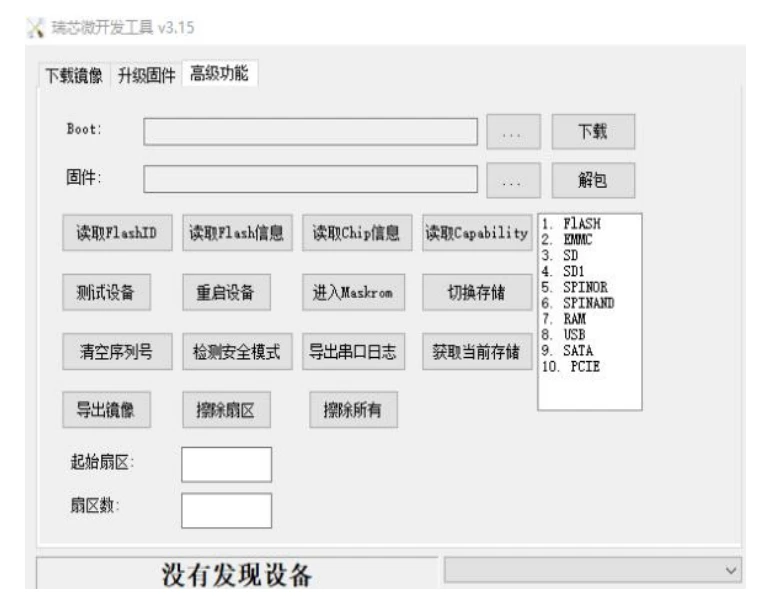
Po fizycznym podłączeniu urządzenia z systemem Android do komputera z systemem Windows. Naciśnij przycisk UBOOT na urządzeniu z systemem Android i podłącz zasilanie; nie zwalniaj przycisku UBOOT, dopóki nie zobaczysz poniższego ekranu: “Znaleziono urządzenie LOADER”.
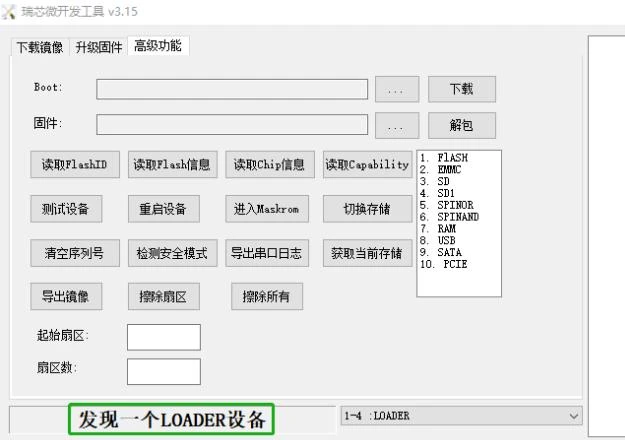
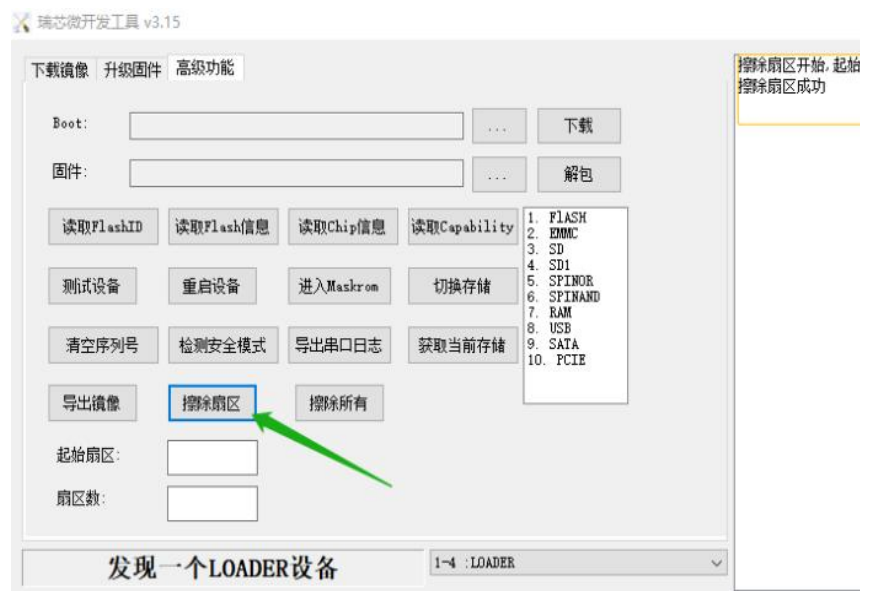
4. Trzask “Zaawansowane funkcje” aby wejść do panelu ustawień zaawansowanych—>Trzask “Usuń sektor” do czyszczenia danych
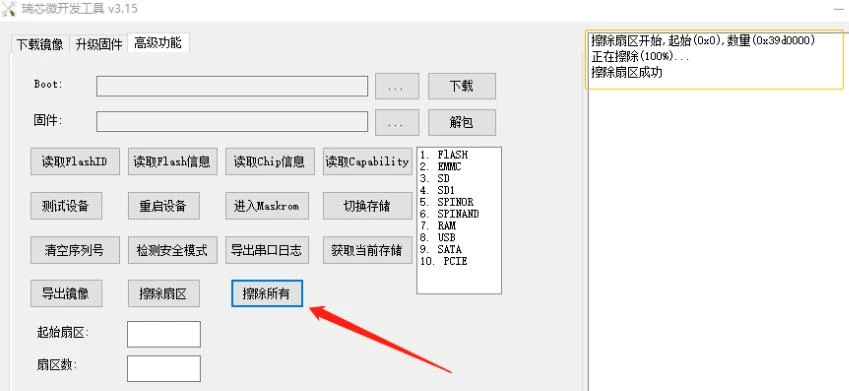
Trzask “Usuń wszystko” aby wyczyścić wszystkie dane
5. Trzask “Zaktualizuj oprogramowanie sprzętowe” aby wejść do poniższego panelu
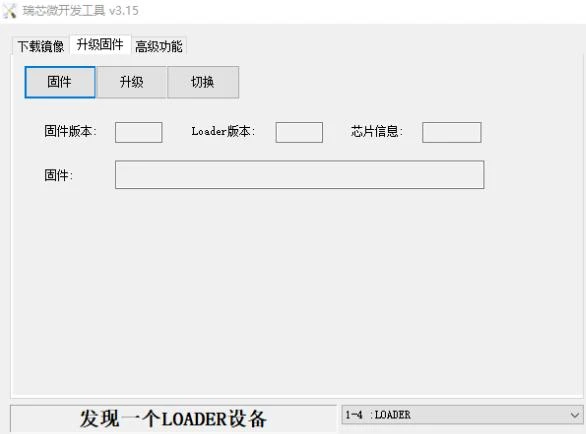
5.1 Trzask “oprogramowanie sprzętowe” aby załadować plik img, który Ci wysłaliśmy
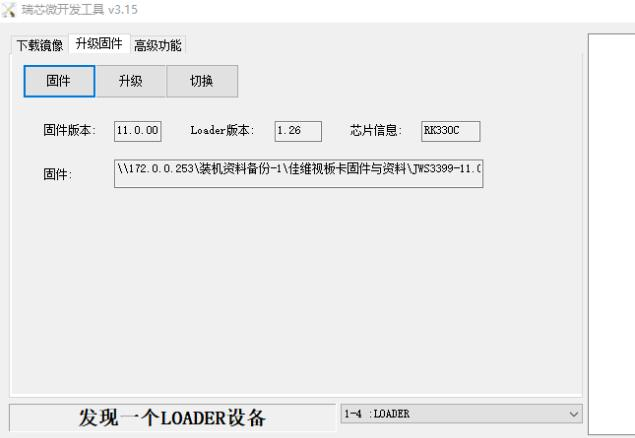
5.2 Trzask “aktualizacja” aby rozpocząć proces
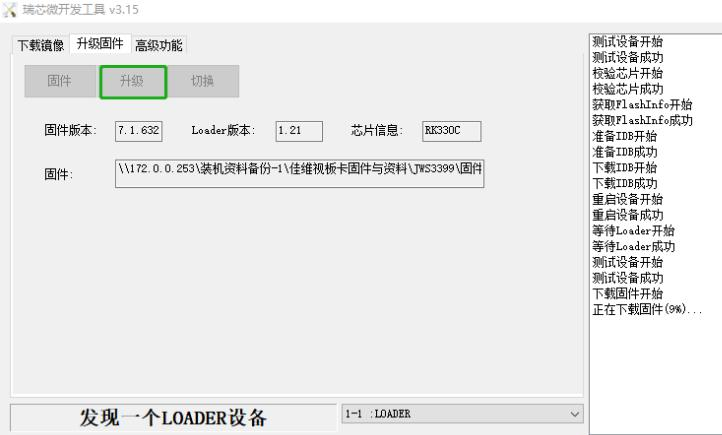
5.3 Poczekaj około 5–10minut, aż zobaczysz poniższy ekran, który zaznaczyłem na zielono;
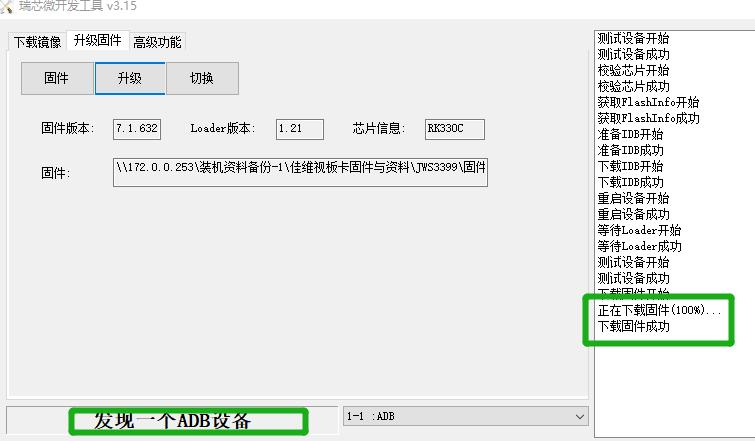
ponowna instalacja, proszę zachować spokój; wszystko, co musisz zrobić, to zainstalować
plik konfiguracyjny parametrów ekranu. Wyślemy Ci to razem
ze wskazówkami. (Możesz też podłączyć do ekranu HDMI, aby sprawdzić, czy
instalacja systemu operacyjnego zakończyła się sukcesem, czy nie)