
Vorbereitungen:Treiber, RKtools, Android-Bilddatei, Ein Win-PC
1. Installieren Sie den Treiber auf Ihrem Windows
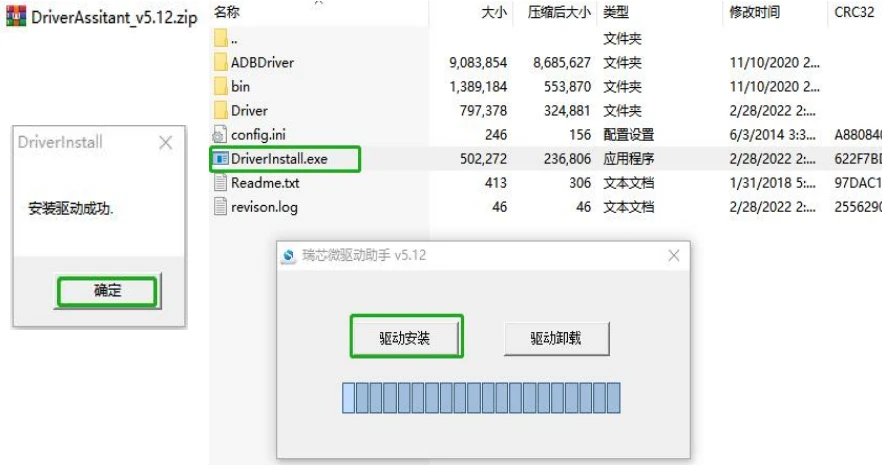
Öffnen Sie die ZIP-Datei des Treibers unten und klicken Sie auf Driver Install.exe—>drücken”Treiberinstallation”—>drücken”Sicher”;
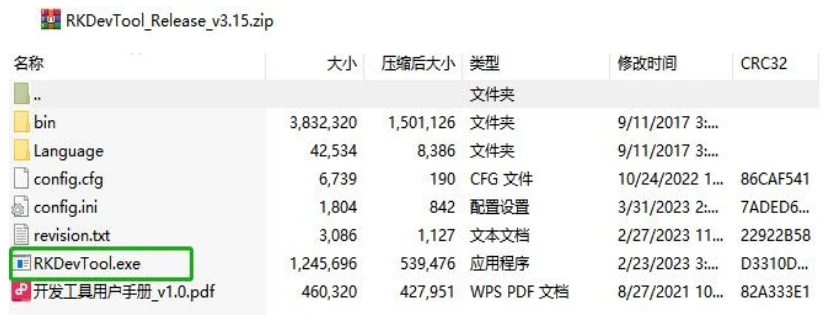
2. Öffnen Sie die ZIP-Datei von RKDevTool und öffnen Sie RKDevTool.exe
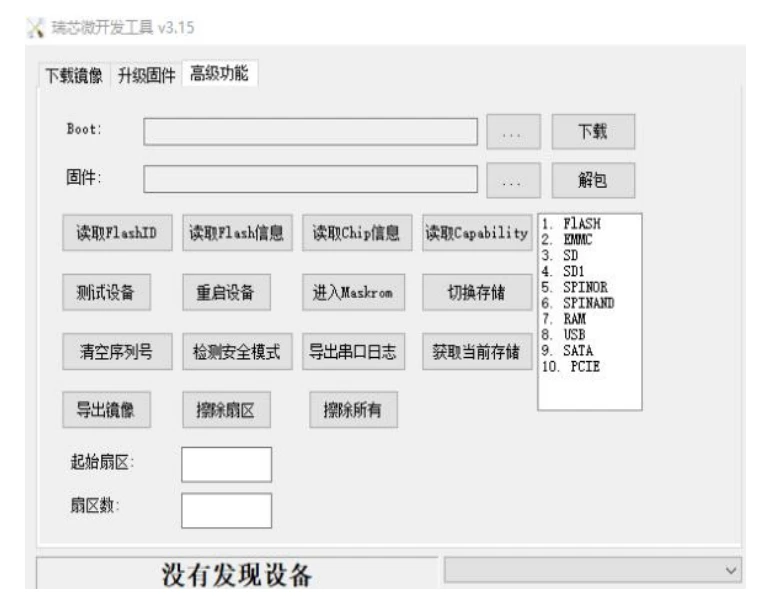
3. Verwenden Sie ein Dual-USB-A-Kabel, um Ihr Gerät an Ihren Windows-Computer anzuschließen; Ein-Port-Plugin für Android-Gerät
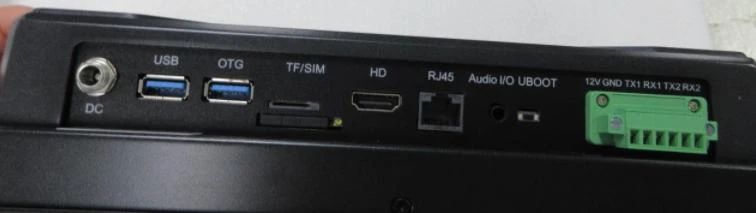
Nachdem das Android-Gerät physisch mit Ihrem Windows-Computer verbunden ist. Drücken Sie die UBOOT-Taste auf Ihrem Android-Gerät und schließen Sie das Netzteil an; Lassen Sie die UBOOT-Taste erst los, wenn der folgende Bildschirm angezeigt wird: “Ein LOADER-Gerät gefunden”.
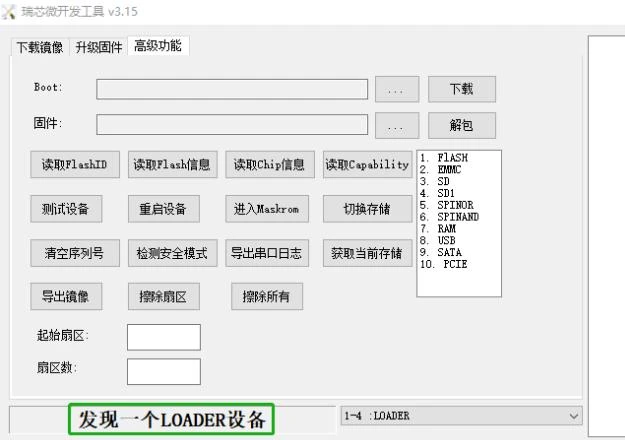
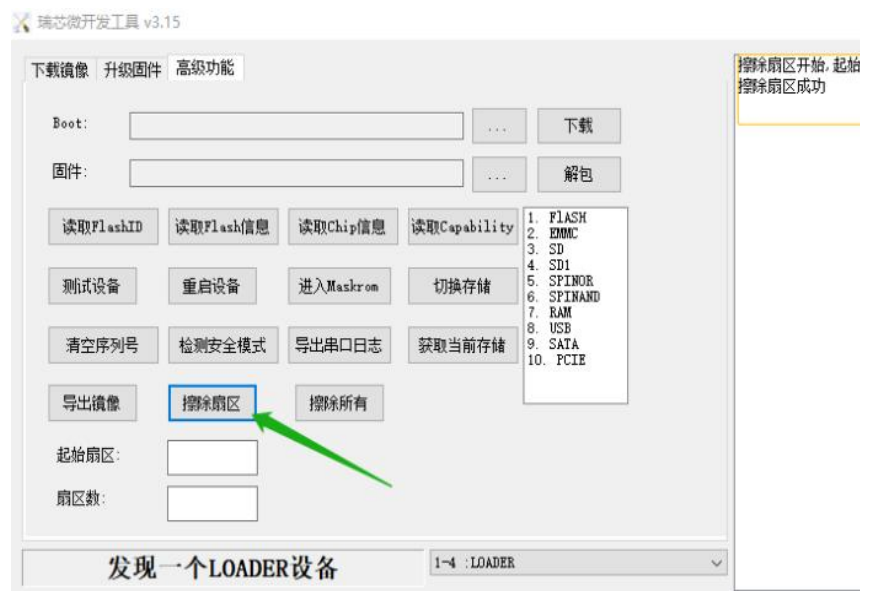
4. Klicken “Erweiterte Funktionen” , um das erweiterte Einstellungsfeld aufzurufen—>Klicken “Sektor löschen” um die Daten zu bereinigen
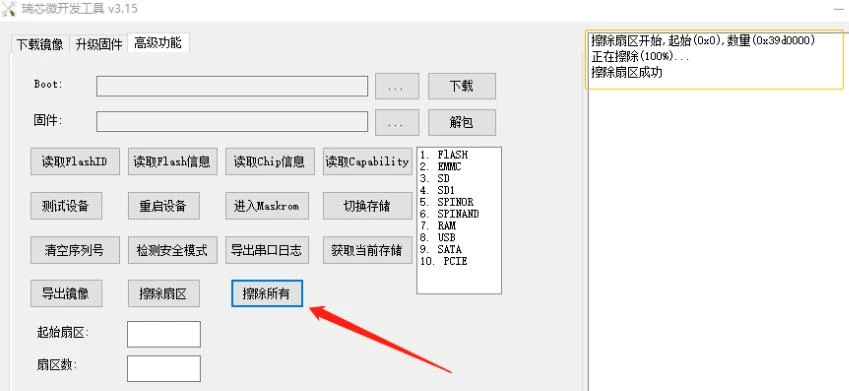
Klicken “Alles löschen” um alle Daten zu bereinigen
5. Klicken “Firmware aktualisieren” um das untere Panel einzugeben
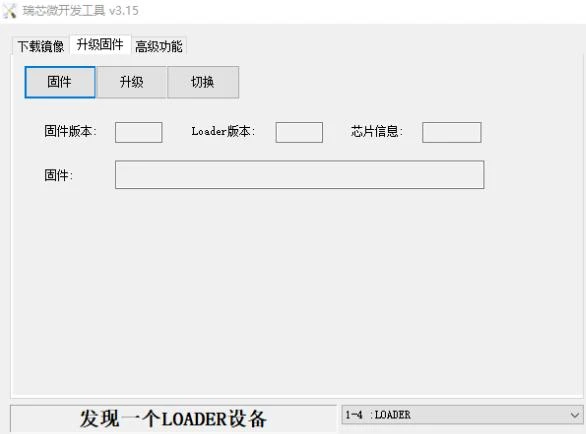
5.1 Klicken “Firmware” um die IMG-Datei zu laden, die wir Ihnen gesendet haben
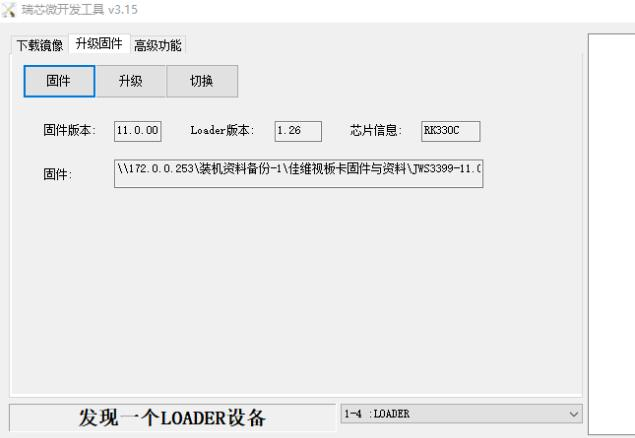
5.2 Klicken “Upgrade” um den Prozess zu starten
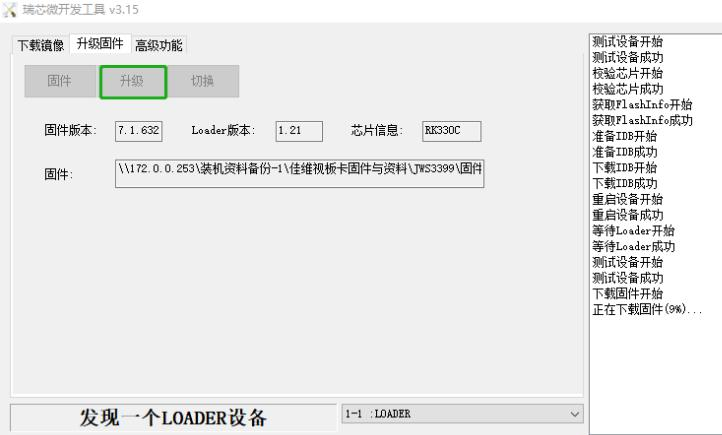
5.3 Warten Sie ungefähr 5–10Minuten, bis Sie den Bildschirm unten sehen, den ich grün markiert habe;
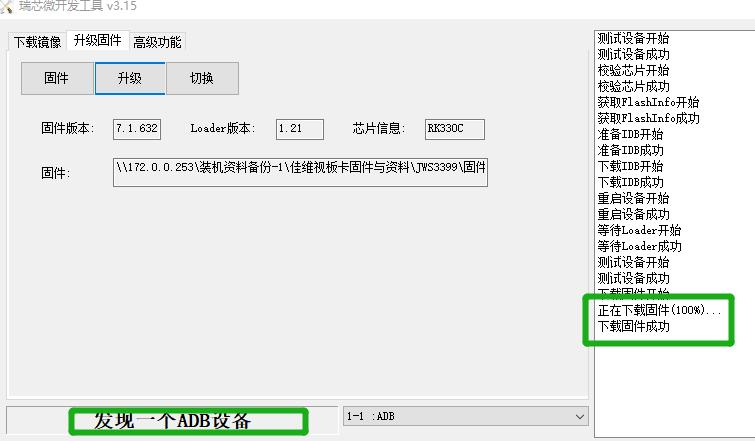
Neuinstallation, Bitte bleiben Sie ruhig; Sie müssen lediglich das installieren
Konfigurationsdatei für Bildschirmparameter. Wir senden es Ihnen gemeinsam zu
mit den Wegbeschreibungen. (Oder Sie können eine Verbindung zu einem HDMI-Bildschirm herstellen, um zu überprüfen, ob
ob die Betriebssysteminstallation erfolgreich war oder nicht)